We need to add annotations to the fields that we want to validate
// UserDto.java

public class UserDto {
    private Long id;
    @NotEmpty
    @Email
    private String email;
    @NotEmpty(message = "First Name should not be null or empty")
    private String firstName;
    @NotEmpty
    private String lastName;
}
Below is a list of common annotations for validation
Annotation
Condition
@NotNull
Should not be null
@Null
Should be null
@NotEmpty
Should not be null or empty
@Max(n)
Should be less than or equal to n
@AssertTrue
Should be true
@Future
Should be a date in the future (based on current date)
@Past
Should be a date in the past
3. Enable validation by @Valid annotation in REST APIs
In the REST API function that we want to validate the request body, we use @Valid annotation
// UserController.java

@PostMapping
public ResponseEntity<UserDto> createUser(@Valid @RequestBody UserDto userDto) {
    UserDto savedUserDto = userService.createUser(userDto);
    return new ResponseEntity<>(savedUserDto, HttpStatus.OK);
}
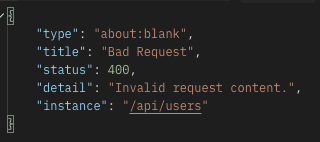
Then we can see that a validation error response is thrown.
4. Customise validation error response
It would be better to have a custom exception for the validation error.
We can use 'handleMethodArgumentNotValid' function from ResponseEntityExceptionHandler.
Below, we get a list of validation errors and return it as a response entity.